Projection mapping has gone from a niche VJ trick to a mainstream creative tool used in live events, retail installations, art exhibitions, and architectural shows. But with so many software options available — ranging from free browser tools to $1,000+/year professional suites — choosing the right one can feel overwhelming.
This guide breaks down the most popular projection mapping tools in 2026, comparing features, pricing, and ideal use cases. Spoiler: the best tool depends entirely on who you are and what you need.
What to Look for in Projection Mapping Software
Before diving into the comparison, here are the key factors to evaluate:
- Ease of use — How long before you can map your first surface?
- Platform — Desktop app (Windows/Mac) or browser-based?
- Price — Free, subscription, or one-time purchase?
- Feature depth — Basic warping vs. 3D mapping, timeline, live inputs
- Collaboration — Can you share projects easily?
The Tools We Compared
4mapper — Best for Beginners & Web-Based Workflows
Price: Free (Pro plan available) | Platform: Browser-based
4mapper is the only major projection mapping tool that runs entirely in the browser — no download, no installation, no driver conflicts. You open a tab and start mapping. This alone makes it the fastest way to get started with projection mapping in 2026.
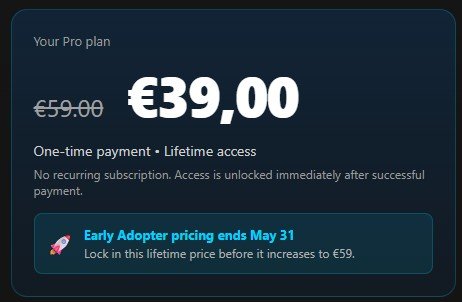
It covers all the essentials: surface warping, mask editor, multiple outputs, and a clean interface that doesn't overwhelm new users. The free tier is genuinely useful — not a crippled demo — and the Pro plan unlocks advanced features at a fraction of what desktop alternatives charge.
Best for: beginners, educators, event designers who want to prototype fast, users on shared or school computers, anyone who hates installers.
Limitations: Being browser-based means it's tied to your internet connection and has some performance limits compared to native apps on high-end hardware.
MadMapper — Best Professional Desktop Tool
Price: ~€49/month or €399/year | Platform: Mac, Windows
MadMapper is the industry standard for professional projection mappers and LED installations. It has a polished interface, rock-solid stability, and features like DMX/ArtNet integration, Syphon/Spout support, and advanced fixture management that serious installers need.
Best for: professionals, touring events, permanent installations.
Limitations: Expensive, steeper learning curve, overkill for simple use cases.
Resolume Avenue — Best for VJs
Price: €349 one-time | Platform: Mac, Windows
Resolume is the go-to tool for live VJ performance. Its clip-based composition engine and MIDI mapping are unmatched for real-time performance. It includes projection mapping as a feature (Arena version), but the software is primarily built around live mixing.
Best for: VJs, live music events, club visuals.
Limitations: Heavy and complex for users who just need projection mapping. Not ideal as a first tool.
TouchDesigner — Best for Custom Interactive Installations
Price: Free (non-commercial), $600 one-time (commercial) | Platform: Windows
TouchDesigner is a node-based visual programming environment used for interactive art and real-time generative visuals. It can absolutely do projection mapping, but it requires a programming mindset — you build your own mapping pipeline from scratch.
Best for: developers, interactive artists, generative art projects.
Limitations: Very high learning curve. Not a projection mapping tool per se — more of a creative coding environment.
HeavyM — Best for Quick Event Projections
Price: Free (limited), Pro ~€19/month | Platform: Windows, Mac
HeavyM focuses on ease of use with a library of built-in effects and templates. It's a solid option for event designers who want results quickly without learning a complex tool.
Best for: corporate events, quick visual displays, non-technical users.
Limitations: Less flexible than MadMapper or 4mapper for custom content.
Feature Comparison
| 4mapper | MadMapper | Resolume | TouchDesigner | HeavyM | |
|---|---|---|---|---|---|
| Platform | Browser | Desktop | Desktop | Desktop | Desktop |
| Price | Free / Pro | €399/yr | €349 | Free / $600 | Free / €19/mo |
| No install needed | ✅ | ❌ | ❌ | ❌ | ❌ |
| Free tier | ✅ | ❌ | ❌ | ✅ (non-com) | ✅ (limited) |
| 3D mapping | ❌ | ✅ | ✅ | ✅ | ⚠️ |
| Live inputs | ❌ | ✅ | ✅ | ✅ | ✅ |
| Best for | Beginners / Web | Professionals | VJs | Developers | Events |
So, Which One Should You Choose?
- Just getting started? → 4mapper. Open your browser and map something in the next 10 minutes.
- Professional touring installer? → MadMapper.
- Live VJ performance? → Resolume Arena.
- Building an interactive art installation from scratch? → TouchDesigner.
- Corporate event, need it fast? → HeavyM or 4mapper.
The projection mapping space used to require expensive software and a dedicated workstation. Tools like 4mapper have changed that — if you're not tied to a specific professional workflow, there's no reason to pay hundreds of euros or wrestle with a complex installer just to get started.