Hey everyone,
We pushed a round of updates to the 4Mapper editor today. First things first: if you ran into any hiccups or short interruptions while using the app earlier, we're sorry — that was on us. The rollout of these changes caused some temporary disruption, and things should now be back to normal. Thanks for bearing with us.
Here's what's new:
Reworked media controls The old radio buttons for choosing a media source are gone. Adding content to a quad is now done through clear, dedicated buttons — one for the Gallery and one for Upload. The upload window also shows your storage usage, your file count, and the resolution guidelines up front, so there are fewer surprises.
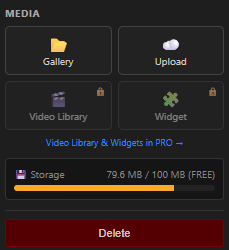
🎬 Video Library button (PRO) Quick access to the Video Library is now built right into the editor, so you can jump straight to ready-to-use clips.
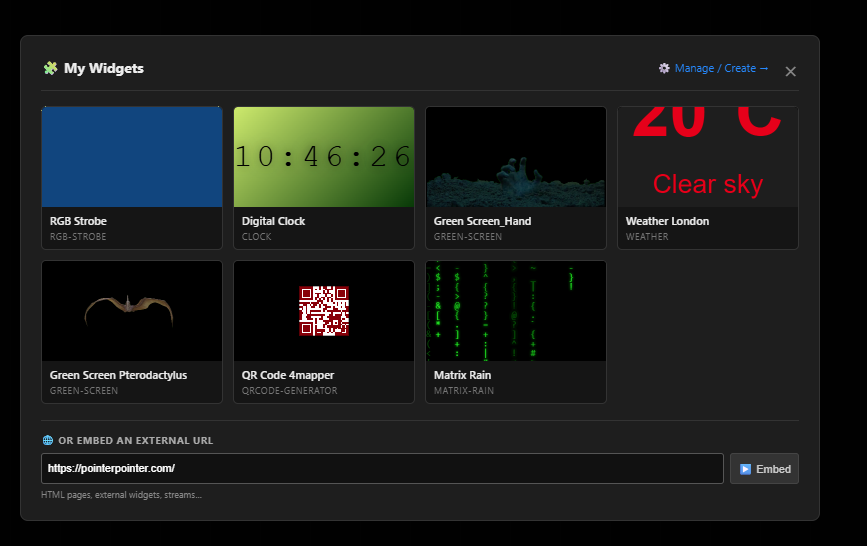
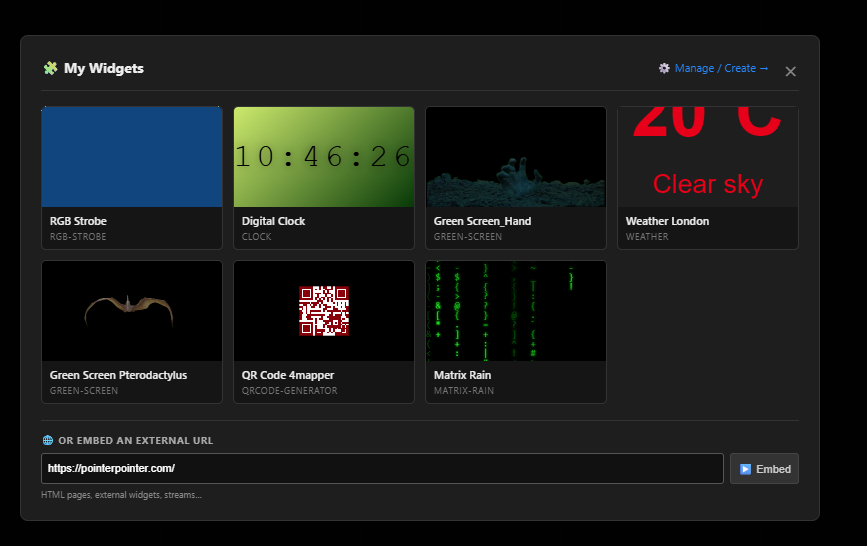
🧩 Widgets, selectable from a modal (PRO) You can now browse and pick your widgets directly from a modal with live previews — and drop them onto a quad in a couple of clicks. You can also embed an external URL the same way.
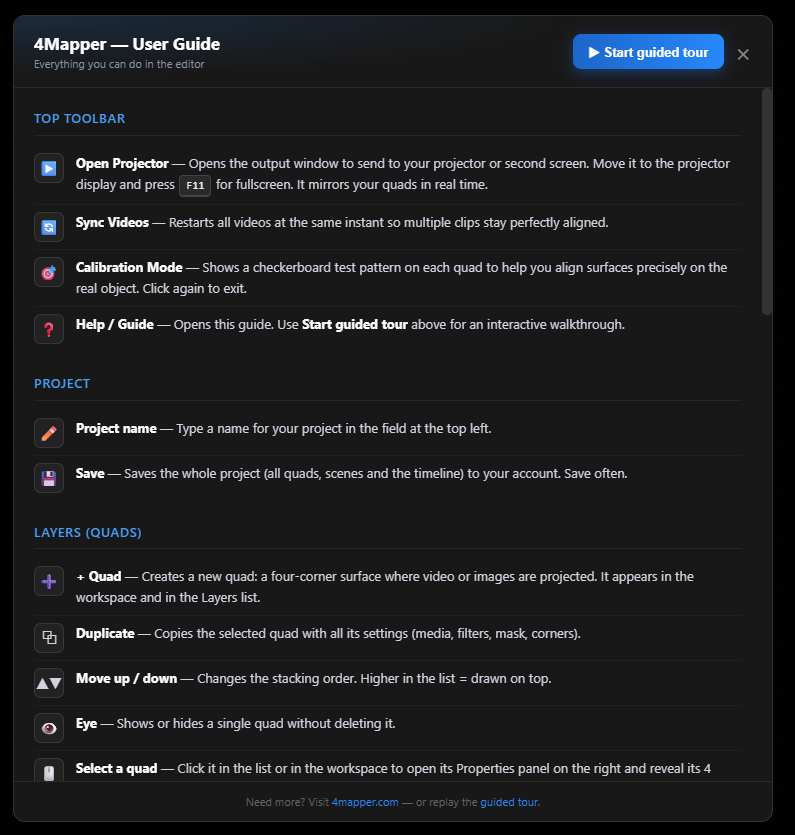
❓ Better Help + expanded intro guide The Help button now opens a complete, easy-to-read guide covering every part of the interface. First-time users also get an improved guided tour that walks through the editor step by step. You can replay it anytime.
⚡ Performance improvements We did some housekeeping under the hood, and the editor should feel snappier to load.
Screenshots below 👇
As always, feedback is welcome — drop it in the comments and we'll keep improving. Thanks for using 4Mapper! 🚀